
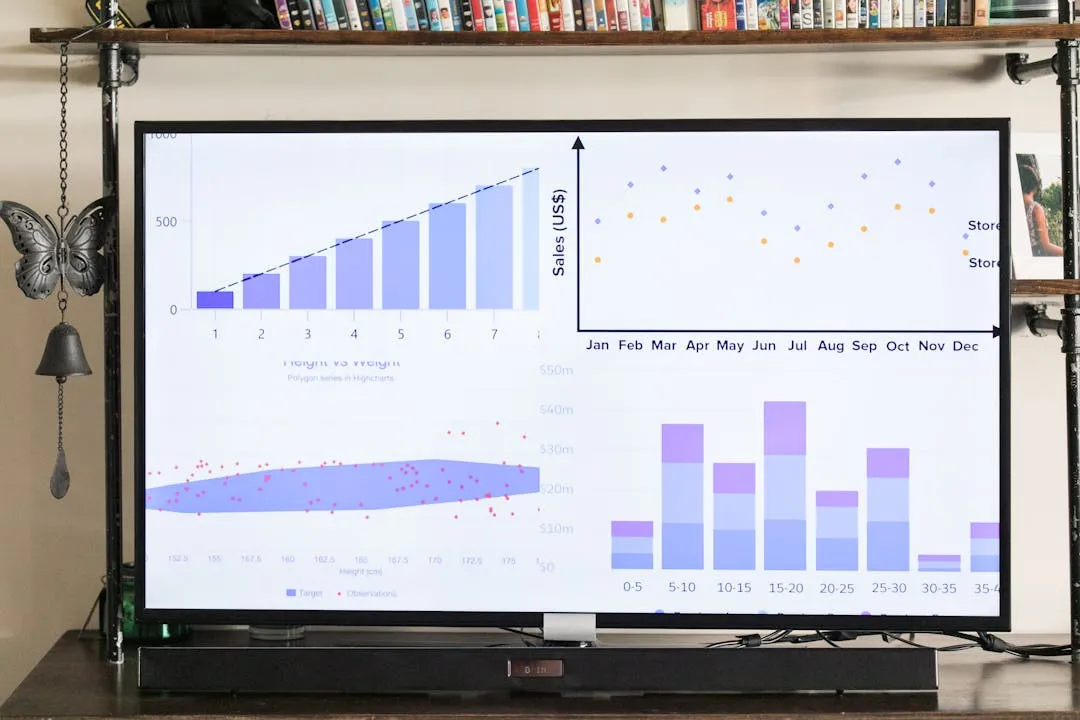
The Strategic Guide to Business Intelligence Dashboards: From Data to Decisions
In today's data-saturated economy, the difference between market leaders and laggards is not the data they possess, but their ability to translate it into decisive action. Business Intelligence (BI) dashboards are the fulcrum of this translation. They are no longer just collections of colorful charts; they are strategic command centers, transforming abstract data points into a coherent narrative that drives organizational performance. Moving beyond reactive, static reports to interactive, real-time dashboards is the first step toward fostering a proactive, data-informed culture.
This comprehensive guide serves as a pillar for your BI strategy. We will deconstruct every critical stage of the dashboard lifecycle—from initial strategy and KPI selection to design, implementation, user adoption, and the future of advanced analytics. By the end, you will have a robust framework for building dashboards that don't just display data, but deliver genuine business value.
What is a Business Intelligence Dashboard? A Strategic Definition
At its core, a business intelligence dashboard is a data visualization tool that provides an at-a-glance view of key performance indicators (KPIs) relevant to a particular objective or business process. However, this definition barely scratches the surface. A truly strategic BI dashboard is a dynamic interface designed for exploration and discovery, enabling users to monitor, analyze, and act upon complex information with speed and confidence.
Beyond the Visuals: The Core Components
An effective dashboard is built on three pillars: data, visualization, and insight. The data must be accurate, timely, and relevant, drawn from a reliable source of truth. The visualization layer must present this data in a clear, intuitive, and contextually appropriate manner. Finally, the ultimate goal is insight—the 'so what?' behind the numbers. A well-designed dashboard doesn't just show you that sales are down; it helps you investigate why by allowing you to slice, dice, and drill down into the underlying factors.
Dashboards vs. Reports: A Critical Distinction
The terms 'dashboard' and 'report' are often used interchangeably, but they serve different purposes. A report is typically a static document, providing a detailed, often granular snapshot of data over a specific period (e.g., a quarterly sales report). It answers the question, “What happened?”
A dashboard, in contrast, is dynamic and interactive. It is designed for monitoring and analysis, answering the question, “What is happening now and why?” While a report provides depth on a narrow topic, a dashboard provides a broad overview with the ability to explore that depth on demand. It is a tool for continuous monitoring, not periodic review.
The Three Main Types of BI Dashboards
Dashboards are not one-size-fits-all. Their design and content must be tailored to the specific needs of the user. Generally, they fall into three categories:
- Strategic Dashboards: Used by senior executives, these dashboards provide a high-level overview of the health of the entire organization. They focus on long-term goals and key performance indicators (KPIs) related to enterprise-wide strategy. The emphasis is on quick assessment and trend analysis rather than granular detail.
- Analytical Dashboards: Designed for business analysts, these dashboards contain vast amounts of data and sophisticated visualization tools. They empower users to investigate trends, identify patterns, and uncover insights. These dashboards are less about monitoring and more about exploration, featuring complex filtering, drill-down capabilities, and comparative analysis.
- Operational Dashboards: These are used by frontline managers and employees to monitor real-time operations. An operational dashboard for a call center, for example, might track call volume, average wait times, and resolution rates. The data is updated frequently, and the focus is on immediate action to address issues as they arise.
Laying the Foundation: The BI Dashboard Strategy Framework
A successful dashboard is 90% strategy and 10% technology. Before a single chart is created, a robust framework must be established to ensure the final product is aligned with business objectives and user needs. Skipping this stage is the most common reason BI projects fail to deliver ROI.
Step 1: Defining Business Objectives and User Personas
Start with the 'why'. What specific business questions must this dashboard answer? What decisions will it inform? Avoid vague goals like “we need to be more data-driven.” Instead, focus on concrete objectives: “We need to reduce customer churn by 5% in the next quarter by identifying at-risk accounts sooner.”
Once objectives are clear, define your user personas. Who will be using this dashboard? A VP of Sales needs to see pipeline health and team performance against quota, while a regional sales manager needs to drill down into individual representative activity and deal progression. Documenting these personas and their specific needs ensures the dashboard is relevant and valuable to its intended audience.
Step 2: Selecting the Right Metrics and KPIs
With objectives and personas defined, the next step is to choose the metrics that matter. This is where many initiatives go astray, resulting in 'vanity dashboards' filled with impressive-looking numbers that don't drive action. The key is to differentiate between lagging indicators (which measure past outcomes, like revenue) and leading indicators (which predict future outcomes, like sales pipeline growth or product engagement). A balanced dashboard includes both.
Choosing the right metrics is a discipline in itself, requiring a deep understanding of the business. For a deeper dive into creating a robust measurement framework, our guide on Beyond Vanity Metrics: A Framework for Selecting KPIs for your BI Dashboard provides a structured approach to ensure you're tracking what truly drives performance.
Step 3: Data Governance and Architecture
The unseen backbone of any BI dashboard is its data architecture. The principle of 'garbage in, garbage out' is absolute. Your dashboard is only as reliable as the data feeding it. This stage involves identifying data sources, establishing data quality rules, and defining the processes for data extraction, transformation, and loading (ETL). Establishing a single source of truth (SSOT) is paramount to prevent conflicting data and build trust among users.
This technical foundation is crucial, and selecting the right components—from data warehouses to visualization tools—is a major strategic decision. The architecture you choose will dictate the scalability, performance, and capabilities of your entire BI ecosystem. We explore this critical topic in detail in The Modern BI Stack: Choosing the Right Dashboard Tools & Architecture.
The Art and Science of Effective Dashboard Design
Effective dashboard design is not about aesthetics; it's about cognitive efficiency. The goal is to present information in a way that minimizes the time to insight. This requires a blend of data storytelling, visual psychology, and user-centric design principles.
Principles of Visual Perception and Data Storytelling
Great dashboards guide the user's eye. They use pre-attentive attributes—such as color, size, shape, and position—to draw attention to the most important information. The layout should follow a logical flow, typically with high-level summaries at the top and more detailed breakdowns below. Every element on the screen should serve a purpose; chart junk, unnecessary decorations, and confusing color schemes should be eliminated.
Choosing the Right Visualizations
The type of visualization used has a profound impact on how data is interpreted. A line chart is excellent for showing trends over time, a bar chart is ideal for comparing categories, a scatter plot can reveal relationships between two variables, and a map is perfect for geospatial data. Using the wrong chart type can obscure insights or even mislead the viewer. The choice should always be driven by the data and the specific question you are trying to answer.
Designing for Different Audiences: The Executive View
As discussed, different users have different needs. Executives, in particular, require dashboards that are designed for rapid consumption and strategic alignment. They need high-level summaries that facilitate quick, informed decisions, not granular data that causes analysis paralysis. This requires a unique design philosophy focused on clarity, context, and a clear link to strategic goals. We've distilled this into actionable principles in our guide, Designing Executive Dashboards: 10 Principles for Clarity and Action, which is essential reading for anyone building for a senior leadership audience.
Interactivity and Drill-Down Capabilities
Static visuals are limiting. Modern dashboards empower users to become active participants in their data discovery. Features like filters, slicers, and drill-downs allow users to move from a high-level overview to the underlying details with a few clicks. This interactivity is what transforms a dashboard from a simple display into a powerful analytical tool, fostering curiosity and enabling users to answer their own follow-up questions.
Building and Implementing Your Dashboard
With a solid strategy and design in place, the focus shifts to development and deployment. This phase requires a combination of technical expertise, project management, and continuous user feedback.
Technology and Tool Selection
The BI market is crowded with tools, each with its own strengths. The choice depends on factors like your existing tech stack, data sources, user skill level, and budget. Whether you opt for an all-in-one platform like Tableau or Power BI, or assemble a more customized solution from different vendors, the key is to select tools that align with your strategic goals and technical infrastructure. The decision-making process for your technology stack is a critical one, further explored in our guide to The Modern BI Stack.
The Development Lifecycle: From Prototype to Production
Building a dashboard should be an iterative, agile process. Start with a low-fidelity mockup or prototype to validate the design and KPIs with stakeholders. This allows for quick feedback and course correction before significant development resources are invested. Gradually build out functionality, releasing versions to a pilot group of users for testing. This iterative approach ensures the final product meets user needs and is battle-tested before a full rollout.
Ensuring Data Accuracy and Performance
Trust is the currency of BI. Before launch, rigorous testing is required to validate that the data displayed on the dashboard matches the source systems. Every calculation, metric, and filter must be verified. Additionally, performance is a critical aspect of user experience. A dashboard that takes too long to load will be abandoned. Queries must be optimized, and data models must be designed for speed to ensure a smooth, responsive user experience.
Driving Adoption and Proving ROI
The project doesn't end at launch. In fact, this is where the real work of generating value begins. Even the most brilliantly designed dashboard is useless if nobody uses it. A proactive plan for driving adoption is non-negotiable.
The Human Element: Change Management and User Training
Introducing a new BI dashboard is a change management initiative. It requires clear communication about the 'why' behind the tool, comprehensive training on how to use it, and ongoing support. Identify champions within different departments to advocate for its use and provide peer support. The most sophisticated dashboard will fail if it's met with resistance or indifference. To ensure your investment yields tangible returns, a structured rollout is key. Our guide, From Rollout to ROI: A Change Management Plan for BI Dashboard Adoption, outlines the necessary steps to navigate the human side of BI implementation.
Creating a Data-Driven Culture
Dashboards are catalysts for, not creators of, a data-driven culture. Leadership must lead by example, integrating the dashboard into regular meetings and decision-making processes. When decisions are openly tied to the data presented in the dashboard, it sends a powerful message about its importance. Encourage curiosity and empower employees to use data to challenge assumptions and propose new ideas.
Measuring Success: Tracking Usage and Impact on Decisions
To prove ROI, you must measure the dashboard's impact. Track usage metrics: Who is using the dashboard? How often? Which features are most popular? But go deeper than usage. Collect qualitative feedback. Ask users how the dashboard has changed their workflow or influenced a specific decision. Tying the insights from the dashboard back to concrete business outcomes—like a reduction in costs, an increase in sales, or improved operational efficiency—is the ultimate measure of success.
The Future of BI Dashboards: Evolving Capabilities
The world of business intelligence is constantly evolving. Dashboards are becoming more intelligent, predictive, and integrated into the daily fabric of work.
From Descriptive to Predictive and Prescriptive Analytics
Traditionally, BI has focused on descriptive analytics—showing what happened. The next frontier is using historical data and machine learning to forecast future outcomes directly within the dashboard interface. This leap from descriptive to predictive analytics is transforming strategic planning. The most advanced systems are now moving towards prescriptive analytics, not only predicting what will happen but recommending actions to take. For organizations ready to leverage these advanced capabilities, our article on Advanced BI: Using Dashboards for Predictive Analytics and Profitability explores how to make this transition.
The Rise of AI and Natural Language Queries (NLQ)
Artificial intelligence is making data analysis more accessible. Features like AI-driven insights can automatically surface anomalies and trends that a human analyst might miss. Furthermore, Natural Language Query (NLQ) allows users to ask questions of their data in plain English (e.g., “What were the top 5 products by sales in the western region last quarter?”), lowering the barrier to entry for non-technical users.
Embedded Analytics and Data Democratization
The future of dashboards is not just as standalone applications, but as embedded components within the tools people already use every day. Imagine seeing relevant customer analytics directly within your CRM or financial KPIs within your ERP system. This seamless integration, known as embedded analytics, brings data to the point of decision, making insights a natural part of the workflow and truly democratizing data access across the organization.
Conclusion: Your Dashboard is a Strategic Asset
A business intelligence dashboard is far more than a technical project; it is a continuous program and a strategic asset. The journey from raw data to informed decisions is a cycle of strategy, design, implementation, and evolution. It requires a deep understanding of the business, a relentless focus on the user, and a commitment to fostering a culture that values data. By following the framework outlined in this guide, you can build dashboards that not only illuminate the path behind you but also light the way forward, empowering your organization to navigate complexity with clarity and confidence.